
Table of Contents
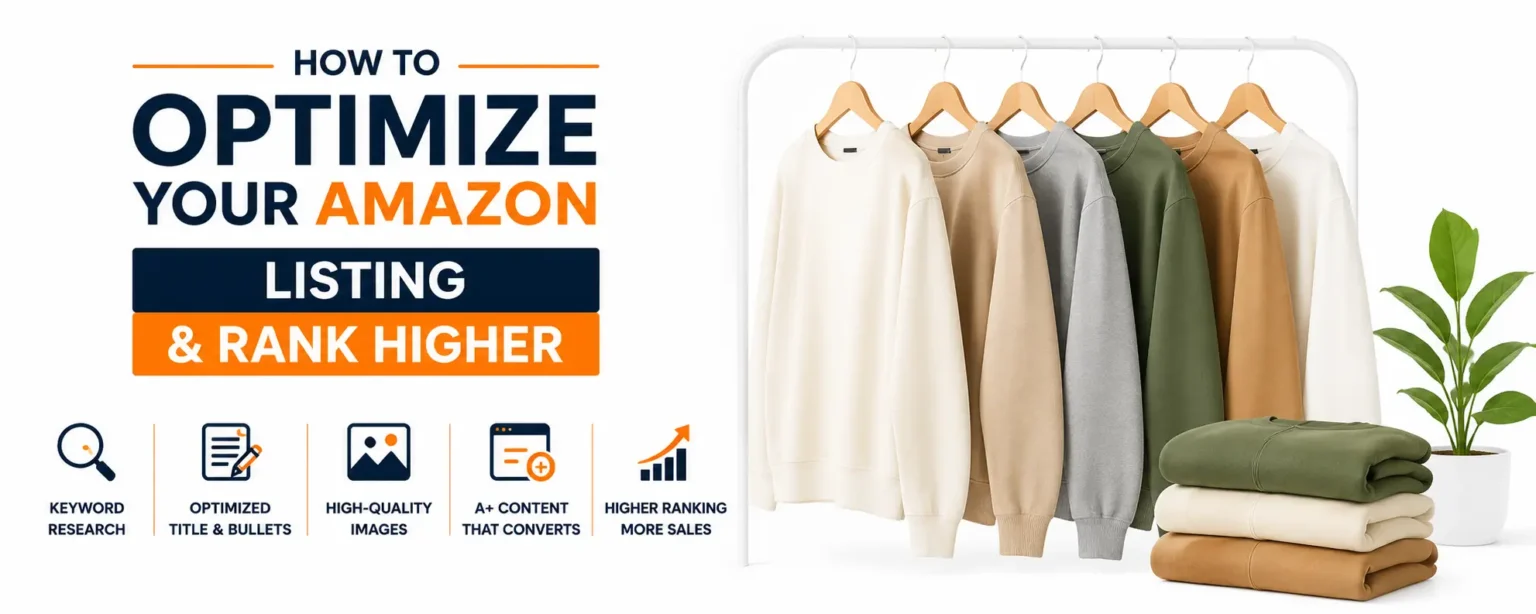
How to Optimize Your Amazon Listing and Rank Higher
Meta description: How do I optimize my Amazon product listing to rank higher? Get a step-by-step guide covering keywords, title structure, images, and A+ content, plus a free audit from ZIWLD.
How do I optimize my Amazon product listing to rank higher? It’s the right question to ask, and the answer starts with keyword research, not ad spend. In our experience working through ZIWLD’s free listing audits, the pattern repeats constantly: high-quality products buried because of fixable gaps in keyword placement, title structure, or images. The product is solid, the price is competitive, and the reviews are decent, but the listing does almost nothing to signal relevance to Amazon’s algorithm or convince shoppers to click. This guide walks through the exact sequence of Amazon listing optimization steps that drive measurable ranking gains, from building the right keyword foundation to fixing the backend fields many sellers leave half-empty. Follow the steps in order and you’ll have a fully optimized listing built to rank and convert.
What Amazon's Ranking Algorithm Actually Rewards in 2026
Before touching a single field, you need to understand the logic the algorithm follows. Amazon SEO operates in two stages: a relevance filter that determines eligibility, and a performance scoring layer that determines position. Skipping either one explains why so many well-intentioned optimizations produce little result.
Relevancy Is the Gating Filter, Not the Full Answer
Keyword relevance is the entry point. If your title, bullets, and backend terms don’t match the search query, your listing never enters the ranking pool for that term, regardless of how well it converts. Relevance is non-negotiable, but it’s also the floor, not the ceiling. Passing the relevance filter gets you eligible; what you do with that traffic determines where you actually land in results.
How A9/A10 Ranking Factors Weigh Conversion and Sales Velocity
Once a listing is eligible, Amazon’s A9/A10 ranking factors determine position based on behavioral signals: how often shoppers click and how often those clicks turn into purchases. Conversion rate is the strongest single signal, though Amazon does not publish exact weightings, this hierarchy is consistently inferred from third-party analyses and seller testing, with recent organic sales velocity running a close second. Amazon rewards products that turn search traffic into purchases efficiently, which means optimizing for ranking without also optimizing for conversion is half a strategy at best.
Where Paid Ads Fit Into the Organic Ranking Picture
Sponsored Products can generate real sales and real conversions, and those downstream signals feed back into organic ranking indirectly. The 2026 consensus is clear, though: Amazon increasingly distinguishes paid traffic from organic demand, and organic sales earn stronger ranking credit. Ads are a useful lever for velocity and visibility, but they don’t substitute for a listing that converts on its own.
How Do I Optimize My Amazon Product Listing to Rank Higher: Start With Keyword Research
Keyword research is the foundation, writing a title or bullets before completing this step means guessing at what shoppers actually search. Depending on product complexity, a solid research workflow can often be completed in a few hours and shapes every optimization decision that follows.
Starting With Seed Terms and Amazon Autocomplete
Start by listing the obvious descriptive terms for your product, then expand each one using Amazon’s search bar autocomplete. Type your seed term and let Amazon complete it. The suggestions you see are real queries from real shoppers, and they often use language that differs from how the brand or manufacturer describes the product. Those language differences matter because your listing needs to match shopper vocabulary, not internal product names.
Reverse ASIN Research on Top Competitors
Reverse ASIN analysis is one of the fastest ways to find high-intent keywords you’d otherwise miss. Enter your top three to five competitor ASINs into a tool like Helium 10 Cerebro or SellerSprite and pull the full list of keywords those listings already rank for. These are indexed terms that third-party tools report as having documented search traffic, you’re reading directly from the competition’s playbook rather than guessing at demand. Validate those volume estimates against Amazon’s own first-party data (Brand Analytics or Product Opportunity Explorer) before committing real estate to any term.
Validating Demand and Organizing Keywords by Placement Priority
Before writing a word of copy, validate search volume using Helium 10 Magnet, Jungle Scout Keyword Scout, or Amazon’s Brand Analytics and Product Opportunity Explorer. Volume tells you whether a term is worth the real estate. Once validated, organize your keywords into three groups: two to three high-volume primary terms for the title, five to ten secondary terms across bullets, and synonym and variant coverage for the backend. This structure maps directly to the sections that follow.
Title and Bullet Structure That Ranks and Converts
Title and bullets are the two on-page fields with the strongest documented impact on both Amazon SEO ranking and conversion. Get these right and you’ve covered the majority of your optimization surface area.
The 2026 Title Formula: 75 Characters, Mobile-First
As of mid-2026, Amazon enforces a 75-character title limit for all non-media categories. That’s a tight constraint, it forces a clear hierarchy. The working formula is: Brand + Product Type + Primary Keyword + Key Differentiator + Variant or Size. Front-load the brand, core product noun, and main differentiator before mobile truncation hits. Use title case, write numerals instead of spelling out numbers, skip promotional text entirely, and remove filler words that consume characters without adding search value.
How to Write Bullet Points That Do More Than List Features
Bullets are the second-most important text field for indexing and a major conversion driver when written correctly. Each bullet should lead with the most important benefit, follow with the supporting feature that delivers that benefit, and embed a secondary keyword naturally within the sentence. Shoppers scan bullets to answer one question: will this product do what I need it to do? Write to that question, not to a checklist of specs.
Sequencing Keywords Across Title and Bullets Without Repetition
Repeating the same keyword provides little to no additional indexing benefit and wastes space that could cover additional terms. Use the primary keyword in the title, distribute secondary keywords across individual bullets, and save synonyms and alternate phrasings for the backend. This approach maximizes your keyword footprint without stuffing any single field.
Backend Search Terms: The Ranking Lever Many Sellers Leave Empty
Backend search terms are invisible to shoppers but fully indexed by Amazon’s algorithm. They extend your keyword footprint without affecting the visible quality of your listing. Many sellers either leave this field half-empty or fill it with repetitions of terms already in their title. Both habits leave indexable keyword space on the table.
What Backend Search Terms Index and What They Don't Affect
Backend keywords are a pure relevance signal. They don’t influence CTR, they don’t affect conversion directly, and they won’t compensate for a weak title or poor images. What they do is allow Amazon to match your listing to search queries that wouldn’t otherwise trigger it. Think of backend terms as your listing’s extended reach: they put you in the ranking pool for more searches without cluttering the visible copy shoppers read.
Best Practices for Filling the 250-Byte Backend Field Effectively
The current backend search term limit is 250 bytes, measured in bytes, not characters, which is why the practical cap can appear slightly different across tools depending on how they handle byte encoding. The rules are straightforward: no punctuation, no terms already present in your title or bullets, no competitor brand names, no marketing copy. Use this space for synonyms, alternate spellings, Spanish equivalents for bilingual U.S. shoppers, and long-tail phrases that don’t fit naturally in visible fields. Separate terms with spaces, use lowercase, and include singular and plural variants only where the two forms have meaningfully different search behavior.
Images and A+ Content: Where Conversion Is Won or Lost
Ranking gets shoppers to your listing. Images and A+ content determine whether they buy. These two elements don’t directly index keywords, but they drive the conversion rate that becomes your strongest ranking signal. The investment pays back twice.
Building an Image Stack That Answers Every Buyer Question
A well-built image stack typically includes seven images: a clean main image on a white background that fills the frame, lifestyle shots showing the product in use, infographic overlays calling out key specs, a scale or size-comparison image, and close-up detail shots for materials or finish. (Note that image-count allowances can vary by category, so confirm your category’s guidelines in Seller Central.) Sellers commonly report conversion lifts of 20 to 35% after fully optimizing their image stack. The goal of each image is to answer a specific question a shopper might use to justify not buying: what does it actually look like, how big is it, what’s it made of, and will it work for my situation.
A+ Content's Documented Impact on Conversion Rate
According to Amazon’s published A+ Content documentation and aggregated third-party seller benchmarks, Standard A+ Content produces an average conversion rate improvement of 3 to 10%, with Premium A+ Content showing lifts of 15 to 20%. The reason it works: it reduces buyer uncertainty, builds brand credibility, and allows storytelling and comparison content that bullets can’t support. The module types that consistently perform best are feature-benefit grids, lifestyle brand story modules, and comparison charts that help shoppers distinguish between your SKU variants or position your product against a generic alternative.
The Conversion-to-Rank Feedback Loop
Better images and stronger A+ content produce higher conversion rates. Higher conversion rates generate more organic purchases per session. Amazon treats those organic purchases as a stronger ranking signal, improving your position and driving more organic traffic. More organic traffic means more purchases, and the loop compounds from there. This is why Amazon listing optimization has a higher long-term return than ad spend alone. You’re not just improving today’s conversion; you’re building a ranking asset that pays out over time.
Track the Right KPIs and Find Your Biggest Gaps Fast
Optimization without measurement is guesswork. Once changes are live, a small set of metrics tells you quickly whether the updates are working and where the next-highest-impact opportunity sits.
The Four Metrics That Tell You If Optimization Is Working
Track these four on a weekly basis: organic keyword rank for your primary and secondary terms, click-through rate on search results pages, unit session percentage (Amazon’s term for conversion rate), and session breakdown by organic versus paid traffic. For benchmarks, general category conversion rates typically run 8 to 15%, while consumables, beauty, and baby products regularly hit 12 to 25%. If your unit session percentage sits well below category norms, images, bullets, or A+ content are often the primary drivers worth investigating first, running image or copy A/B tests through Manage Your Experiments can help confirm the source. If your rank is stagnant despite a strong conversion rate, keyword coverage in the title or backend is usually the gap.Better images and stronger A+ content produce higher conversion rates. Higher conversion rates generate more organic purchases per session. Amazon treats those organic purchases as a stronger ranking signal, improving your position and driving more organic traffic. More organic traffic means more purchases, and the loop compounds from there. This is why Amazon listing optimization has a higher long-term return than ad spend alone. You’re not just improving today’s conversion; you’re building a ranking asset that pays out over time.
How ZIWLD's Free Listing Audit Surfaces the Highest-Impact Gaps
This guide gives you the full framework, but identifying which specific gap matters most for your ASIN requires the right data tools and a trained eye. ZIWLD’s free Amazon listing audit reviews title structure, keyword coverage, image quality, A+ content status, and backend field usage in one structured pass, then surfaces the two or three changes most likely to produce ranking and conversion gains for that specific product. For sellers who want to skip the diagnostic step and move straight to action, it’s a direct way to see exactly where your listing stands right now.
Put the Sequence to Work
Ranking on Amazon requires relevance first, then the behavioral signals that come from a listing shoppers actually want to click and buy. The sequence in this guide builds both: keyword research creates the foundation, title and bullet structure applies it to the highest-impact fields, backend terms extend your reach, and images plus A+ content drive the conversion rate that feeds the algorithm.
The sellers who consistently rank higher than their competitors aren’t outspending them on ads. They’re out-optimizing them at the listing level, compounding small gains in CTR, conversion, and keyword coverage into durable organic position. Every field covered in this guide is fixable. Keep in mind that timelines vary by change type: title and bullet updates typically go live within a few days, while A+ content submissions go through Amazon’s review process and can take a week or more before appearing on your listing.
Still wondering how do I optimize my Amazon product listing to rank higher? ZIWLD’s free Amazon listing audit is the right next step. You’ll walk away with a clear picture of where your listing stands and which fixes will produce the fastest ranking gains.
Frequently asked questions
How can I optimize my Amazon listing to rank higher?
To optimize your Amazon listing and rank higher, focus on keyword research, an optimized product title, benefit-driven bullet points, backend search terms, high-quality images, and A+ Content. Regularly updating your listing based on performance data also helps improve organic rankings.
Does Amazon listing optimization improve sales?
Yes. A well-optimized Amazon listing improves product visibility, increases click-through rates, and boosts conversion rates. Better rankings often lead to more organic traffic and higher sales over time.
What is the most important part of Amazon listing optimization?
Keyword research is the foundation of Amazon listing optimization. Choosing the right keywords and placing them naturally in your title, bullet points, description, and backend search terms helps Amazon understand and rank your product.
How long does it take to see results after optimizing an Amazon listing?
Many sellers notice improvements within a few weeks, but significant ranking and sales growth can take 30 to 90 days, depending on competition, product demand, and the quality of your optimization.
Can ZIWLD help optimize my Amazon product listings?
Yes. ZIWLD provides professional Amazon Listing Optimization, Amazon SEO, keyword research, A+ Content design, and listing audits to help sellers improve rankings, increase visibility, and drive more sales.